Help improve WILDRING. Analytics and marketing cookies help us improve the design experience and show more relevant content, for details see our Privacy Policy. v2025-03-14

Design Guide
How to Guide
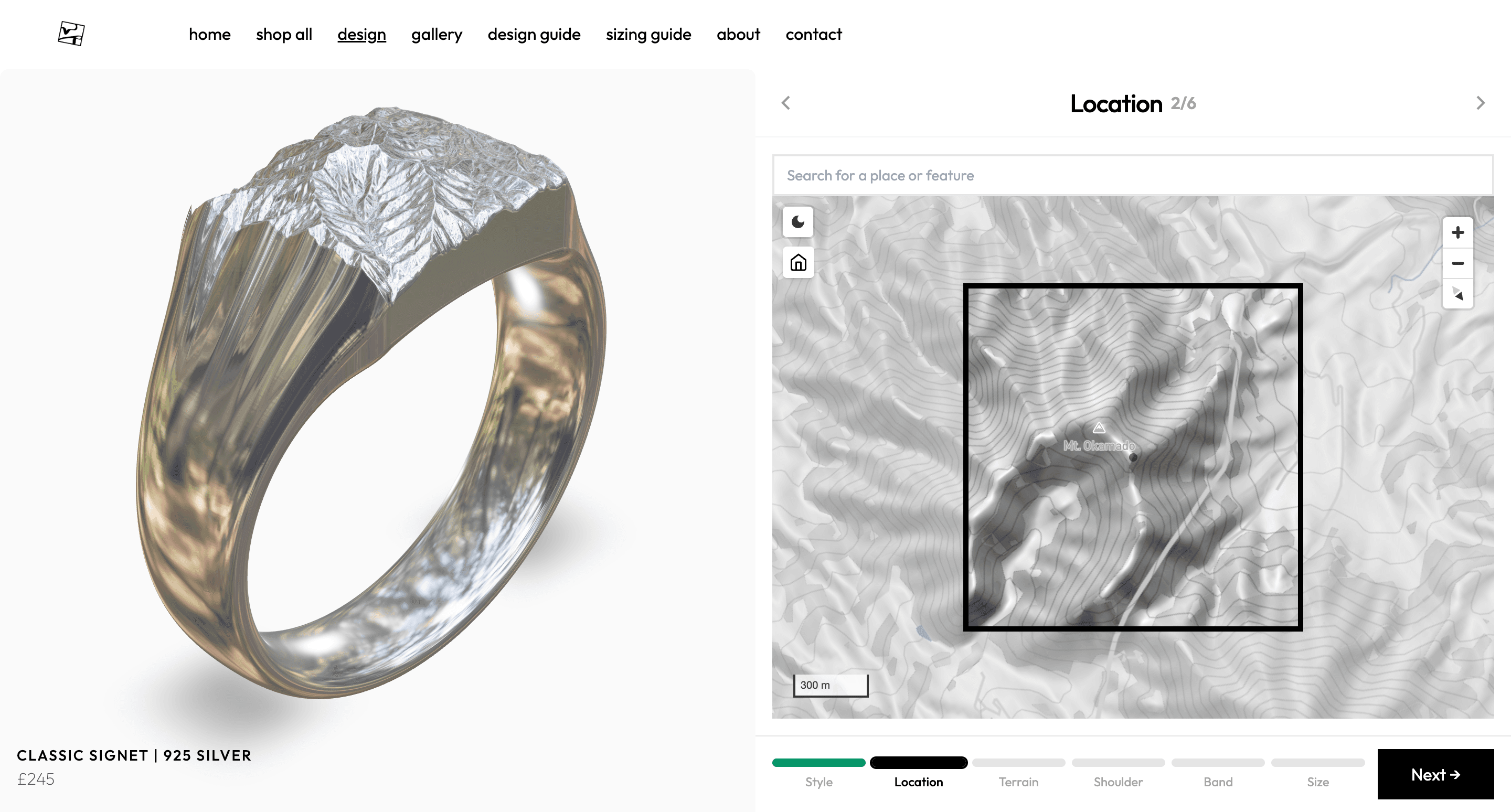
This page will guide you through how to design a ring on wildring.studio in 3 easy steps.
Step 1: Choose Your Location
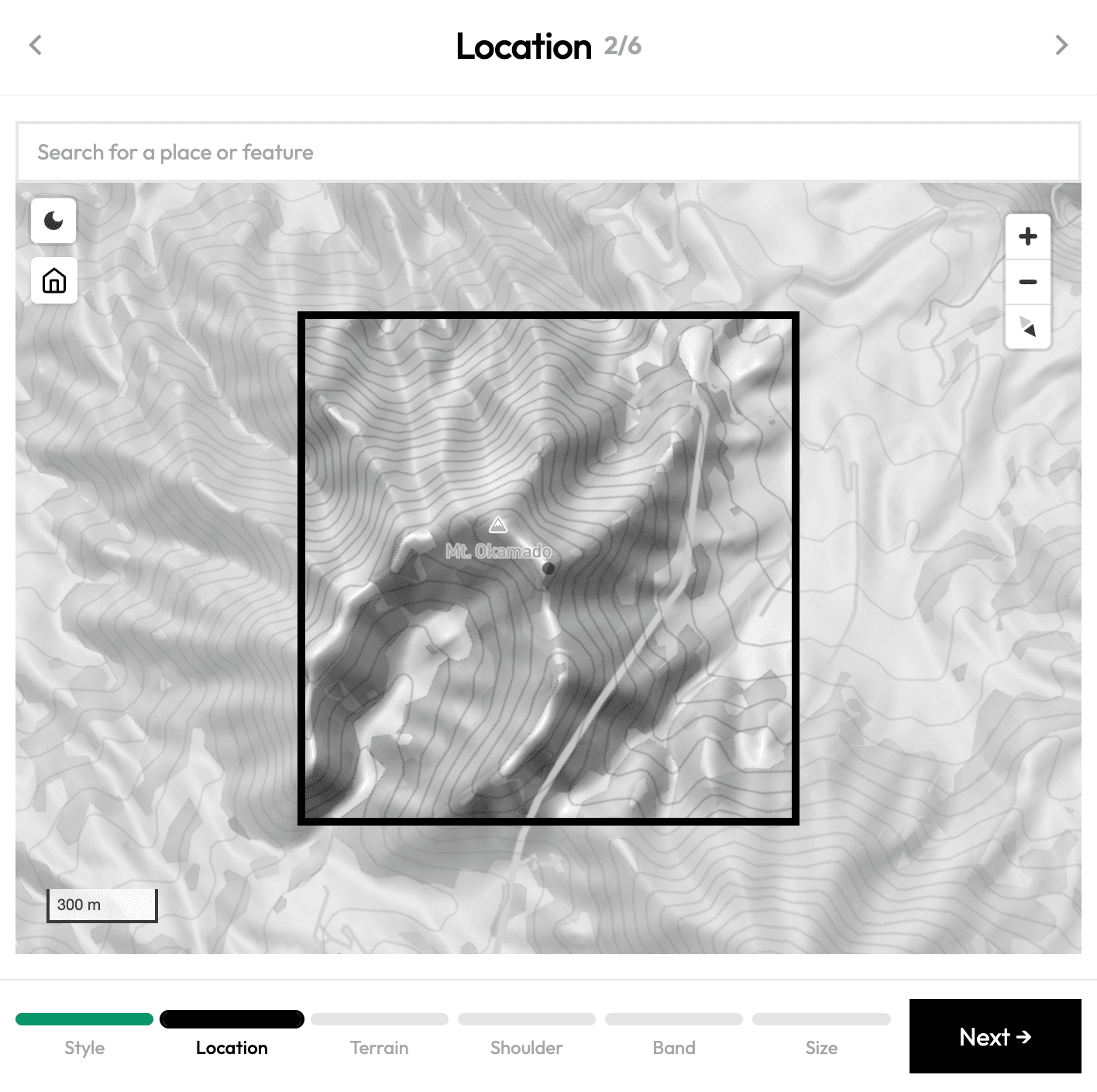
Start by finding a place that matters to you. Use the search bar to enter the name of your location.
The black box in the centre of the map shows the area that will appear on your ring.
You can move the map around to adjust the location of this box, but the size of the Use the navigation tools to pan, zoom, and rotate the map until you’ve framed the landscape you've chosen.
A scale marker in the bottom left corner helps you understand distance and scale. You can also switch between light and dark modes using the icon in the top left.
Dark mode includes a satellite layer for a more textured, realistic view of the terrain.
Once you’re happy with the map view, move to Step 2.
You can always return later to adjust or select a new location.
Step 2: Refine Your Style
Terrain Height
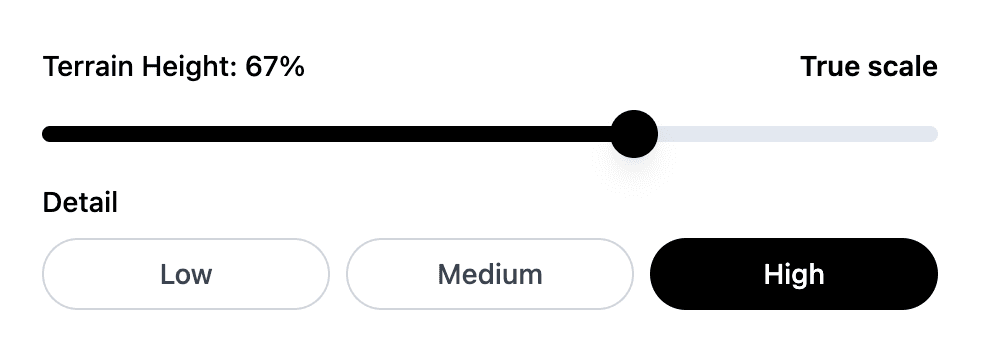
Dial in your chosen topology by changing the terrain height using the slider. The exaggeration factor gives an indication of the difference in vertical scale between the model and the real landscape. You can also adjust the level of detail of the terrain as we have found that some places look better if their sharp edges are softened a little.
Shoulder Style
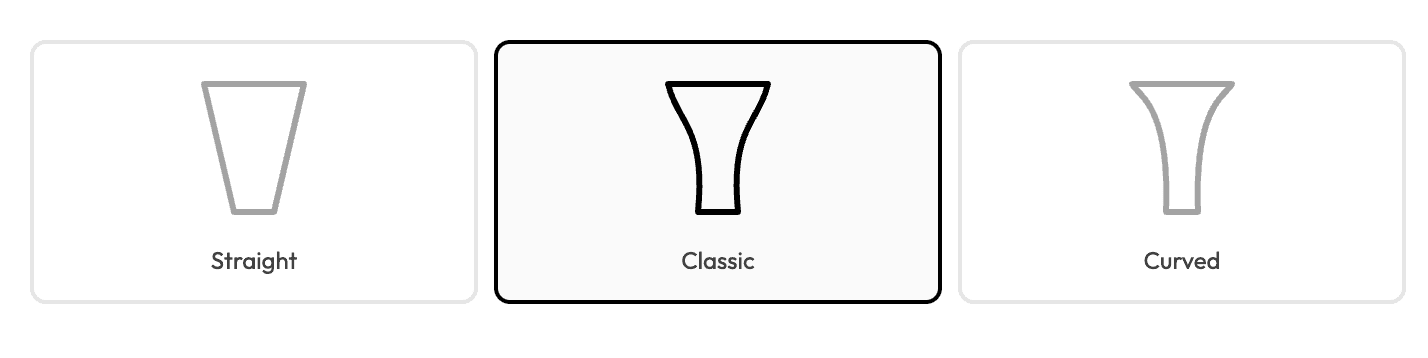
This step controls the curvature of the band or shank as it curves up to meet the head or face of the ring.
Band Profile
This step controls the shape of the cross section or profile of the shank.

Step 3: Select Your Size
The safest way to find your ring size is to pop into your local jeweller and get it measured professionally.
If you’re unable to do this (or are looking for ways to find out someone else’s ring size discretely 😉) take a look at our Ring Size Guide for tips on how to measure your ring size, or someone else's, accurately at home.
Once you know your ring size, enter this using your preferred system: English, American, European, or Asian.
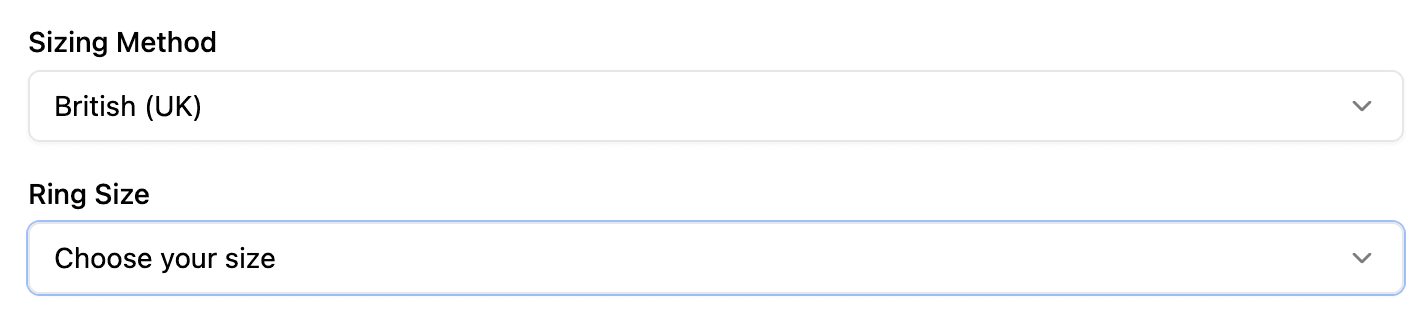
Once your size is set, your design is ready to order — a landscape you love, cast in silver.
...and if your ring arrives and the fit isn’t quite right, we will resize it for you free of charge.
Create Your Own
Design your own custom ring from any location that matters to you, in 3 simple steps:
- Choose your place
- Refine your style
- Select your size
Cast and delivered in 3-5 weeks.